
Cyber attacks do not only affect multinational companies with large databases and dedicated IT departments. A compromised email account, stolen password, unpatched laptop or convincing phishing message can disrupt a business of almost any size.
The best cyber security practices for businesses therefore focus on reducing common vulnerabilities before attackers can exploit them. Effective cyber protection combines secure accounts, updated devices, controlled access, employee security awareness, reliable backups and a clear plan for responding when preventive measures fail.
The objective is not to make a company impossible to attack. No organisation can remove every cyber risk. Good security is about risk prevention, reducing the likelihood of successful attacks, limiting their impact and making recovery faster.
What Are Cybersecurity Practices and Why Are They Important?
Cybersecurity practices are the policies, technical controls and everyday behaviours businesses use to protect their digital systems, information and services.
They can include relatively simple measures such as installing updates and requiring multi-factor authentication, as well as more sophisticated controls such as endpoint detection, identity management, network monitoring and incident-response planning.
Effective security normally protects three fundamental characteristics of information:
Confidentiality means information should be available only to authorised people.
Integrity means information should remain accurate and should not be altered improperly.
Availability means systems and information should remain accessible when the business legitimately needs them.
A business therefore needs to think beyond preventing data theft.
Ransomware may prevent employees from accessing information. An attacker may alter bank details on invoices. A failed system may make customer records unavailable even if nobody steals them.
Good cybersecurity prepares for all of these possibilities.
Why Cybersecurity Matters for Businesses
Modern businesses depend on digital infrastructure for everyday operations.
Email may contain contracts and customer conversations. Cloud systems store documents. Accounting platforms hold financial information. Websites process enquiries or sales, while employees may work remotely through laptops and smartphones.
Compromising only one important account can therefore create a wider problem.
For example, access to a senior employee’s email account might allow an attacker to impersonate the employee, reset passwords for other services or send fraudulent payment instructions.
Cybersecurity also matters because organisations frequently hold information belonging to other people.
Customer details, employee records and supplier information may all require appropriate protection under data-protection law.
The commercial consequences of poor security can extend beyond technical repair costs. An attack may interrupt services, delay orders, consume management time, damage customer confidence or create legal and contractual issues.
Cybersecurity should therefore be treated as a business-management issue, not something left entirely to an IT employee or external provider.
Common Cybersecurity Threats Businesses Face
Businesses face several recurring forms of attack.
Phishing
Phishing uses fraudulent emails, messages, websites or calls to persuade people to reveal information or take an unsafe action.
An attacker might imitate a bank, supplier, colleague or cloud-service provider.
Modern phishing messages can look highly professional and may contain genuine information gathered from public websites or previous breaches.
Credential theft
Passwords may be stolen through phishing, malware, previous data breaches or insecure storage.
Reusing the same password across several services makes the problem considerably worse because one compromised credential can provide access to multiple accounts.
Ransomware
Ransomware can encrypt or otherwise prevent access to business systems and information.
Attackers may also steal information before disrupting systems and use the threat of publication as additional pressure.
Malware
Other malicious software may monitor activity, steal information or provide attackers with remote access to devices.
Unpatched vulnerabilities
Software vulnerabilities are continually discovered.
Once security awareness updates become available, attackers may attempt to exploit organisations that have not installed them.
Business email compromise
Attackers may impersonate executives, employees or suppliers and request payments or changes to bank details.
These attacks often exploit human trust rather than sophisticated malware.
Insider and accidental incidents
Not every security awareness incident is malicious.
Employees can accidentally share information with the wrong person, misconfigure cloud storage or lose a device.
Cybersecurity therefore needs to address both deliberate attacks and ordinary human error.
Best Cybersecurity Practices for Businesses
The best cyber security practices for businesses work in layers.
No single tool should be expected to stop every attack.
A sensible baseline includes:
- using strong authentication;
- controlling access according to job requirements;
- keeping devices and software supported and updated;
- protecting endpoints and networks;
- backing up important information;
- training employees to recognise common threats;
- preparing an incident-response plan;
- reviewing security awareness regularly.
The NCSC’s Cyber Essentials framework offers a useful UK baseline built around five technical areas: firewalls, secure configuration, security awareness update management, user access control and malware protection.
Businesses do not need to stop there, but those controls address several common attack routes.
Security should also be proportionate.
A small consultancy will not necessarily need the same controls as a financial institution processing highly sensitive information. It still needs disciplined account security, access management, backups and employee awareness.
Best Cybersecurity Practices for Small Businesses
Small businesses often have limited budgets and no dedicated cyber-security team.
That makes prioritisation particularly important.
Protect email first because email is often connected to password resets, financial conversations and other business services.
Next, identify critical accounts such as online banking, accounting, cloud storage, payroll, website administration and social media.
Turn on strong authentication for them.
Ensure laptops, phones and tablets remain supported and receive automatic security awareness updates.
Review who has access to systems every few months and remove former employees promptly.
Maintain at least one reliable backup of important information and make sure somebody knows how to restore it.
Small businesses should also document where important systems are located and which supplier or IT contact should be called during an incident.
These relatively straightforward practices can provide significant risk prevention without requiring an enterprise-level security awareness budget.
How to Create Strong Password and Authentication Policies
Passwords should be unique for important accounts.
Reusing one password across email, social media and business software means that one compromised service can create access to several others.
Password managers can make unique credentials practical.
They generate and securely store passwords so employees do not need to remember dozens of them or keep them in spreadsheets and notebooks.
Where services support passkeys, businesses should consider them. Passkeys can provide stronger resistance to phishing because users are not manually typing a reusable secret into a website.
A good authentication policy should also cover:
- password-manager use;
- administrator accounts;
- account recovery;
- shared credentials;
- employee onboarding;
- employee departure.
Avoid forcing employees into unnecessarily complex password routines that encourage predictable workarounds.
security awareness should be strong but usable.
How to Implement Multi-Factor Authentication
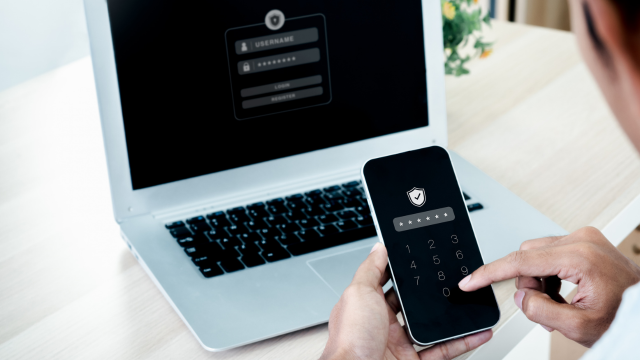
Multi-factor authentication, or MFA, requires more than one form of verification before allowing access.
A password may be combined with an authenticator application, hardware security awareness key, biometric factor or another method.
MFA matters because passwords are frequently stolen.
If an attacker has the password but cannot satisfy the additional authentication requirement, the account may remain protected.
Prioritise MFA for:
- email;
- cloud storage;
- financial systems;
- payroll;
- administrator accounts;
- social media;
- website administration;
- remote-access systems.
Different MFA methods provide different levels of protection.
Methods designed to resist phishing, such as appropriately implemented passkeys or hardware-backed authentication, can provide stronger protection than codes that users could be tricked into entering on a fraudulent website.
Whatever method is chosen, recovery procedures also need protection. Attackers should not be able to bypass MFA simply through a weak account-recovery process.
How to Secure Business Networks and Devices
Devices should be treated as part of the security awareness perimeter even when employees work remotely.
Use screen locks and appropriate PINs or passwords.
Enable device encryption where suitable so that information remains harder to access if a laptop or phone is lost or stolen.
Keep built-in firewalls and security awareness protection enabled.
Businesses managing larger numbers of devices may benefit from centralised endpoint or mobile-device management. This can allow security awareness settings to be enforced and, depending on the system, help protect or remove business information when a device is lost.
Separate administrator privileges from everyday accounts wherever practical.
The NCSC advises using ordinary user accounts for routine work and reserving administrator access for activities that actually require it.
This limits the damage an attacker may be able to cause through a compromised everyday account.
Network equipment also needs attention.
Change default administrator credentials, keep firmware updated and remove equipment that no longer receives security awareness support.
How to Protect Business Data and Customer Information
Begin by identifying what information the business holds.
A business cannot protect information effectively if nobody knows where it exists.
Classify particularly sensitive information and determine who genuinely needs access.
Apply the principle of least privilege: employees should receive enough access to perform their jobs but not unnecessary access to unrelated systems or customer information.
Encryption may provide another useful layer, especially where information is sensitive or stored on portable devices.
UK data-protection law does not prescribe one universal security awareness setup. Businesses processing personal information need technical and organisational measures appropriate to the risks involved.
Data minimisation also supports security awareness.
Information that is no longer required can create unnecessary exposure. Businesses should therefore connect cybersecurity with appropriate retention and deletion processes.
Cyber protection is easier when the organisation knows what data it has, why it has it and who should be able to use it.
How to Secure Cloud-Based Business Systems
Cloud providers may operate sophisticated security awareness infrastructure, but the customer’s configuration still matters.
A secure cloud platform can be undermined by an administrator using a weak password or by a folder accidentally shared with the entire internet.
Use individual accounts rather than shared logins.
Enable MFA and restrict administrative privileges.
Review external sharing periodically and remove access that is no longer necessary.
Check security awareness logs and alerts where the platform provides them.
Businesses should also understand the “shared responsibility” involved in cloud systems. The provider may secure underlying infrastructure while the customer remains responsible for identities, permissions and appropriate data use.
Review suppliers before entrusting them with important information.
Consider what security awareness controls they provide, what recovery options exist and how data can be exported if the service relationship ends.
Cloud storage should not automatically be assumed to provide a complete independent backup.
How to Protect Your Business From Phishing Attacks
Phishing remains one of the most common routes into organisations.
Training employees to recognise suspicious messages is useful, but businesses should not rely entirely on individual vigilance.
Combine people and technology.
Email filtering can block many obvious threats before employees see them. Strong authentication makes stolen passwords less useful. Appropriate domain and email security awareness settings can make impersonation more difficult.
Employees should be particularly cautious about:
- unexpected password-reset messages;
- urgent payment instructions;
- sudden requests to change supplier bank details;
- unexpected attachments;
- unfamiliar login pages;
- MFA prompts they did not initiate.
Create a verification procedure for high-risk requests.
For example, changes to supplier bank details could require verification through a previously known telephone number rather than simply replying to the email requesting the change.
Make phishing reporting simple.
An employee who clicks a suspicious link should report it immediately rather than hiding the mistake because they fear criticism.
Early reporting can significantly reduce the damage.
How to Train Employees on Cybersecurity
Strong security awareness is practical rather than theoretical.
Employees need to understand the threats they are actually likely to encounter and what action the business expects them to take.
Training can cover:
- phishing;
- password and authentication practices;
- confidential information;
- secure file sharing;
- remote working;
- lost devices;
- unusual payment requests;
- incident reporting.
Tailor training to roles.
Finance employees may need particular awareness of invoice fraud and payment manipulation. Administrators may need additional guidance about privileged accounts, while staff handling customer information may require more detailed privacy and security training.
New employees should receive security awareness guidance during onboarding.
Refresh training periodically and after significant changes or incidents.
Simulated phishing can sometimes be useful, but it should support learning rather than simply catching employees out.
Management behaviour also matters.
security awareness training loses credibility if senior employees routinely pressure staff to bypass approval or verification procedures.
How to Perform Regular Security Updates and Patching
Software updates are among the most basic forms of risk prevention.
Security weaknesses are continually discovered in operating systems, web browsers, applications, website plugins and network equipment.
Once vulnerabilities become known, attackers may begin searching for systems that remain exposed.
Enable automatic updates where appropriate.
For business-critical systems where updates need testing, create a documented process that ensures patches are assessed and installed within a reasonable period.
Keep an inventory of important software and devices so unsupported systems can be identified.
If a product no longer receives security awarenessupdates, replacing it should become a priority.
The NCSC’s 2026 AI threat assessment makes patching particularly relevant. It assesses that AI-enabled tools are likely to help attackers find and exploit known vulnerabilities faster, potentially reducing the time available to organisations that delay security fixes.
Patching is not glamorous, but it removes attack routes that businesses often already know about.
Best Cybersecurity Tools and Software for Businesses
Cybersecurity normally requires several complementary controls rather than one product.
| Security requirement | Example technology | Purpose |
| Identity and access | Microsoft Entra ID or equivalent | MFA, access policies and identity control |
| Endpoint security | Microsoft Defender for Business or equivalent | Device threat prevention and detection |
| Device management | Microsoft Intune or equivalent | Security settings and managed devices |
| Password management | Business password manager | Unique credentials and controlled sharing |
| Email protection | Secure email filtering | Phishing and malicious-message protection |
| Backup | Independent business backup platform | Recovery after loss or attack |
Microsoft 365 Business Premium
For businesses already using Microsoft 365, Business Premium currently combines several security awareness capabilities.
It includes Microsoft Defender for Business for endpoint protection, Defender for Office 365 Plan 1 for email and file protection, Intune Plan 1 for device management and Entra ID P1 for identity and access controls.
That can be convenient for organisations wanting to manage security within an existing Microsoft environment.
Business password managers
Organisational password managers such as 1Password Business, Bitwarden Business and similar products can reduce password reuse and replace insecure shared-password spreadsheets.
The exact product matters less than choosing a reputable system, configuring it properly and ensuring employees actually use it.
Backups
Backup software or managed backup services should provide recovery independent enough to remain useful when primary systems are compromised.
The NCSC recommends knowing how to restore backups and checking that important information is actually included.
Businesses should evaluate tools based on compatibility, administration,security awareness recovery and support rather than purchasing solely on price.
How to Create a Business Cybersecurity Policy
A cybersecurity policy turns security expectations into documented business rules.
It should identify:
who is responsible for security;
which systems and information are covered;
how accounts are protected;
how access is approved;
what employees should do with company devices;
how remote working is handled;
how software is updated;
how information is shared;
and how incidents are reported.
The policy should also address employees joining, changing roles and leaving.
Avoid producing a document filled with technical language that ordinary employees cannot apply.
Practical instructions work better.
Instead of saying “users shall maintain appropriate credential hygiene”, explain that employees must use the approved password manager and enable MFA on specified accounts.
Policies should be reviewed when technology, risks or working practices change.
They should also align with data protection, acceptable-use, business continuity and incident-response procedures.
How to Create a Cybersecurity Incident Response Plan
An incident-response plan explains what the organisation will do when something goes wrong.
Start by identifying critical systems and information.
Then establish responsibilities.
Who leads the incident?
Who contacts the IT provider?
Who makes business-continuity decisions?
Who deals with customers, insurers, regulators or law enforcement where appropriate?
Keep key contact details somewhere accessible even if the main IT systems become unavailable.
The response process should generally cover:
Identification: What has happened?
Containment: How can further damage be limited?
Investigation: Which systems and information may be affected?
Recovery: How can trusted operations be restored?
Communication: Who needs to know?
Learning: What controls should change afterwards?
The NCSC’s July 2026 guidance for highly disruptive attacks similarly emphasises immediate containment and assessment, structured recovery towards minimum viable operations and a later organisational rebuild.
Where personal information has been compromised, businesses must separately assess their data-protection reporting obligations.
A notifiable UK GDPR personal data breach generally needs to reach the ICO without undue delay and, where feasible, within 72 hours of awareness. High-risk breaches may also require communication to affected individuals without undue delay.
How to Conduct Regular Security Audits
A security audit checks whether the controls a business believes are operating actually work in practice.
Begin with a basic inventory.
Which devices, systems, websites and cloud platforms does the business use?
Who owns them?
Who has administrator access?
Are they supported and updated?
Review user accounts for former employees and outdated permissions.
Check whether MFA is enabled where expected.
Test backups.
Review firewall, endpoint and email-security settings.
Consider whether employees know how to report suspicious activity.
Larger or higher-risk organisations may also use vulnerability scanning, penetration testing or independent security assessments.
Audits should be proportionate to the organisation and systems involved.
Do not confuse an audit with a one-time compliance exercise.
Technology changes continually. New applications are introduced, employees change roles and suppliers gain access.
Security review should therefore be recurring.
The UK government’s 2025/2026 survey found that only a minority of businesses reported conducting cyber-security vulnerability audits, while practices varied substantially with organisational size.
Benefits and Challenges of Strong Cybersecurity Practices
Good cybersecurity reduces avoidable risk.
Secure accounts can make credential theft harder. Patching closes known vulnerabilities. Access controls limit how far an attacker may be able to move. Backups improve recovery.
There are wider benefits too.
Clear account ownership and managed devices can improve ordinary IT administration. Documented incident procedures help staff respond not only to attacks but also to accidental outages.
Security can also support customer and supplier confidence.
Challenges remain.
Security costs money and consumes employee time. Stronger controls can introduce friction. Small businesses may lack specialist expertise, while larger businesses face complexity across thousands of accounts and devices.
There is also no point at which an organisation becomes “finished” with security.
Threats, systems and business processes change continually.
The objective is therefore proportionate and sustainable cyber protection, not a temporary exercise intended to create the appearance of perfect security.
Common Cybersecurity Mistakes Businesses Should Avoid
One major mistake is assuming a small company is too insignificant to attack.
Many criminal attacks are opportunistic or automated.
Another mistake is relying on one product.
Antivirus software does not compensate for weak passwords, unrestricted administrator access and nonexistent backups.
Businesses should also avoid:
- leaving MFA disabled;
- sharing administrator accounts;
- keeping unsupported software;
- delaying critical updates indefinitely;
- allowing unnecessary access to customer information;
- assuming cloud storage equals backup;
- failing to remove former employees;
- treating security training as a once-a-year exercise;
- collecting more sensitive information than necessary;
- waiting for an incident before creating a response plan.
Another common mistake is creating excessive controls that employees cannot realistically follow.
When security becomes unnecessarily difficult, people often find unofficial workarounds.
Effective security balances protection with usability.
Future Trends in Cybersecurity and AI
AI is changing cyber security on both sides.
The NCSC assesses that AI will almost certainly continue to make parts of cyber intrusion more effective and efficient, increasing the frequency and intensity of cyber threats towards 2027. Attackers are already using AI in areas including reconnaissance, social engineering, vulnerability research and processing stolen information.
Phishing is likely to become harder to identify based solely on poor spelling or awkward wording.
Generative systems can quickly produce polished messages tailored to particular employees or businesses.
AI is also improving defence.
Security products increasingly analyse large volumes of authentication, device and network information to identify behaviour that may indicate compromise.
The value of these systems will depend on configuration and human review.
AI creates additional security risks as well.
Employees may enter confidential business information into unapproved AI tools. AI applications may connect with internal systems and data, increasing the attack surface. Organisations therefore need policies governing which AI services employees can use and what information may be shared with them.
Authentication is evolving too.
Businesses are moving gradually towards passkeys and other phishing-resistant methods instead of depending entirely on reusable passwords.
Zero-trust principles are also becoming more common. Rather than trusting someone simply because they are connected to the company network, access can be evaluated according to identity, device and resource.
The fundamentals will still matter.
AI does not make passwords, patching, backups or security awareness obsolete. If anything, faster attacks make disciplined basic security more valuable.
Key Takeaways
The best cyber security practices for businesses are built from several layers rather than one expensive product.
Protect important accounts with strong authentication. Restrict administrator rights and remove unnecessary access.
Keep devices, applications and network equipment supported and updated.
Maintain independent, tested backups so essential information can be recovered.
Build employee security awareness around the threats people genuinely encounter, particularly phishing, credential theft and fraudulent payment requests.
Document an incident-response plan before an attack occurs and regularly review whether security controls still work.
For smaller organisations, the NCSC’s guidance and Cyber Essentials controls provide a practical foundation for risk prevention without requiring enterprise-scale security infrastructure.
FAQ
What are the best cybersecurity practices for businesses?
Important practices include MFA, secure account management, regular patching, endpoint protection, controlled access, reliable backups, employee training and incident-response planning.
The best cyber security practices for businesses combine technology with clear processes and employee behaviour rather than relying on one security application.
How can small businesses improve cybersecurity?
Start with high-value controls.
Secure business email and financial accounts, turn on MFA, keep devices updated, remove former employees’ access and back up important information.
Create a simple incident plan and ensure employees know how to report suspicious activity.
Cyber Essentials can provide a useful UK technical baseline.
What are the biggest cybersecurity threats to businesses?
Phishing remains one of the most widespread threats to UK businesses.
Organisations also face credential theft, impersonation, malware, ransomware, vulnerable software and account takeover.
Accidental information disclosure and inappropriate employee access can also create security incidents.
Threat exposure depends on the particular systems and information an organisation uses.
Why is multi-factor authentication important?
MFA creates another barrier when a password is stolen.
An attacker who learns the password may still be unable to sign in without the second authentication factor.
It is particularly important for email, administrator accounts, financial systems and cloud services.
Where available and suitable, phishing-resistant approaches such as passkeys can provide stronger protection against fraudulent login pages.
How can businesses protect customer data?
Collect only information the business genuinely needs and restrict access to authorised users.
Use secure accounts, encryption where appropriate, supported software and controlled sharing.
Businesses processing personal information should assess security according to the risks involved and comply with applicable UK data-protection obligations.
Regularly reviewing who has access is an important part of cyber protection.
How often should businesses update security software?
Security updates should generally be installed promptly once appropriate updates become available.
Automatic updating is useful for many ordinary devices and applications.
Critical business systems may require testing before deployment, but organisations should have a process that prevents important patches from being postponed indefinitely.
Any product that no longer receives security updates should be reviewed for replacement.
What cybersecurity tools should businesses use?
The right combination depends on systems and risk.
Common requirements include endpoint protection, identity and MFA controls, device management, secure email, a business password manager and independent backup.
Businesses using Microsoft 365 may find Business Premium useful because several security controls are included in one ecosystem, while organisations using other platforms should choose equivalent controls suited to their environment.
Tools should be configured properly and supported by documented processes.
How can employees help prevent cyberattacks?
Employees can protect credentials, follow secure payment and information-sharing procedures and report suspicious activity promptly.
They should understand common phishing methods and know what to do if a device is lost or they accidentally interact with a malicious message.
Strong security awareness helps, but employees should not carry the entire security burden. Businesses also need technical controls that prevent or contain ordinary human mistakes.
Conclusion
The best cyber security practices for businesses are not based on eliminating every possible threat. They are about reducing preventable risk and building resilience when something still goes wrong.
Strong authentication helps protect accounts. Updates close known vulnerabilities. Access control limits unnecessary exposure, while tested backups give businesses a route to recovery.
Employees remain an important part of cyber protection, which is why practical security awareness should sit alongside technical controls rather than replace them.
Businesses should also prepare for failure. A clear incident-response plan, regular security reviews and appropriate data-protection procedures can reduce confusion when an attack occurs.
As AI makes some attacks faster and more convincing, disciplined fundamentals become even more valuable. Sustainable risk prevention comes from combining people, processes and technology and reviewing all three as the business and threat environment change.
Training Arena offers online learning across technology, business and related subjects, including cyber-security topics. Structured training can help develop awareness and conceptual knowledge, but completing a course does not by itself prove professional cyber-security competence. Protecting real business systems requires properly configured controls, continuous management and, where the risks justify it, suitable specialist support.