🚀 Windows 10 Basics: A Beginner’s Jumpstart Guide 🚀
Are you ready to take the first step towards mastering the world’s most widely used operating system? Welcome to “Windows 10 Basics: A Beginner’s Jumpstart Guide,” your ticket to unlocking the full potential of your computer experience. 🖥️
In today’s digital age, proficiency in Windows 10 is essential for anyone looking to navigate the technological landscape with confidence and ease. Whether you’re a complete novice or just looking to brush up on your skills, this course is designed to provide you with the fundamental knowledge and practical know-how needed to harness the power of Windows 10 like a pro. 💻
Benefits of Taking This Course:
🔍 Comprehensive Understanding: Gain a solid foundation in the core concepts and features of Windows 10, from navigating the desktop to managing files and applications.
🛠️ Hands-On Learning: Dive into practical exercises and real-world scenarios that will empower you to apply your newfound skills with confidence.
📈 Boost Productivity: Learn how to leverage the built-in tools and functionalities of Windows 10 to streamline your workflow and enhance your productivity.
🔒 Enhanced Security: Discover best practices for keeping your system safe and secure against cyber threats, malware, and other potential risks.
🎓 Continuous Support: Access to resources and support materials even after course completion, ensuring that you stay up-to-date with the latest advancements and updates in Windows 10.
Who is this for?
This course is perfect for anyone who is new to Windows 10 or looking to refresh their skills. Whether you’re a student, a professional, or a retiree, mastering Windows 10 basics is a valuable investment in your digital literacy and productivity.
- Students: Get a head start on your academic journey by mastering the essential tools and functionalities of Windows 10, setting yourself up for success in school and beyond.
- Professionals: Enhance your professional skill set and stay competitive in today’s job market by mastering the most widely used operating system in the business world.
- Seniors: Embrace the digital age with confidence and independence by learning how to navigate and utilize Windows 10 to stay connected with loved ones, manage finances, and explore new hobbies online.
Career Path
Proficiency in Windows 10 is not just beneficial for personal use; it can also open doors to various career opportunities across industries. From administrative roles requiring efficient file management to IT positions involving system configuration and troubleshooting, a strong grasp of Windows 10 basics is a valuable asset in today’s technology-driven workplace. Whether you’re aiming for entry-level positions or aspiring to advance your career, the skills acquired in this course will undoubtedly pave the way for success.
Don’t let fear or uncertainty hold you back from unleashing the full potential of your computer experience. Enroll in “Windows 10 Basics: A Beginner’s Jumpstart Guide” today and embark on a journey towards digital empowerment and proficiency. With expert guidance, hands-on learning, and continuous support, you’ll be amazed at how quickly you can become a Windows 10 wizard! 🌟
FAQ: Windows 10 Basics: A Beginner’s Jumpstart Guide
1. What is Windows 10? Windows 10 is the latest operating system developed by Microsoft. It’s designed to provide a user-friendly interface for PCs, laptops, tablets, and other devices.
2. Why should I learn Windows 10? Windows 10 is one of the most widely used operating systems globally, making it essential for anyone who wants to navigate modern computing efficiently. Learning its basics will enhance your productivity and help you utilize various features effectively.
3. Who is this course for? This course is tailored for beginners who are new to Windows 10 or those who want to refresh their basic skills. Whether you’re a student, professional, or senior citizen, this course will help you grasp fundamental concepts and navigate the operating system with ease.
4. What will I learn in this course? In this course, you’ll learn essential skills such as navigating the desktop, managing files and folders, customizing settings, using built-in apps, connecting to the internet, and understanding security features. It provides a solid foundation for further exploration of Windows 10 functionalities.
5. Do I need any prior experience with computers? No prior experience is required. This course starts with the basics and gradually progresses to more advanced topics. Even if you’ve never used a computer before, you’ll find the material easy to understand and follow.
6. How is the course structured? The course is divided into modules, each focusing on specific aspects of Windows 10. Each module contains instructional videos, practical exercises, and quizzes to reinforce learning. You can progress through the modules at your own pace.
7. Can I access the course materials at any time? Yes, the course materials are accessible 24/7. Once you enroll, you’ll have unlimited access to all the resources, allowing you to learn whenever it’s convenient for you.
8. Is there any support available if I have questions? Yes, we provide support through forums, email, or live chat. Our team of experts is dedicated to helping you overcome any challenges you may encounter during the learning process.
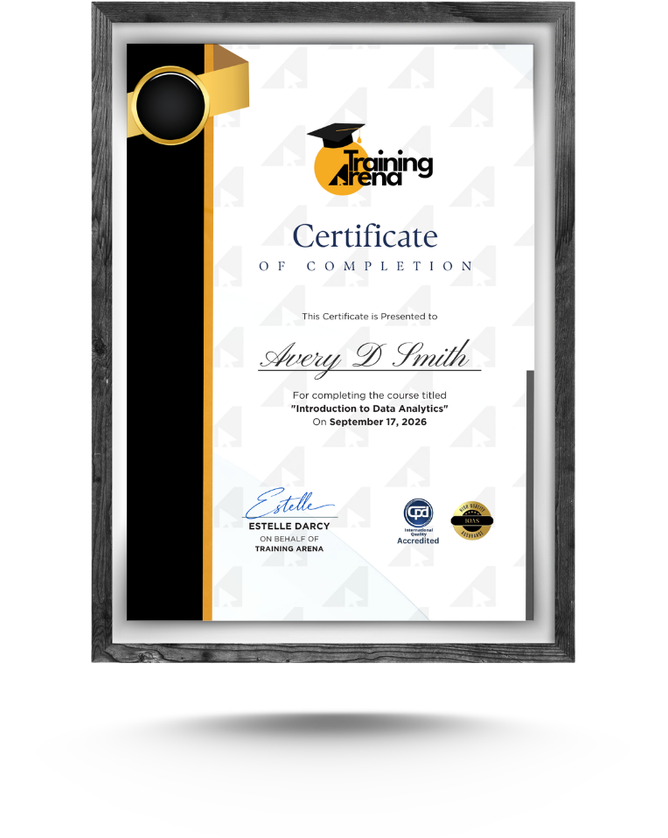
9. Will I receive a certificate upon completion? Yes, upon completing the course and passing the final assessment, you’ll receive a certificate of completion, which you can showcase as evidence of your newfound Windows 10 skills.
10. How do I enroll in the course? To enroll, simply visit our website, select the Windows 10 Basics course, and follow the instructions to complete the registration process. Once enrolled, you’ll gain instant access to the course materials.
| Detail | Information |
|---|
| Modules | 2 |
| Access | Lifetime |
| Certificate | CPD accredited PDF |