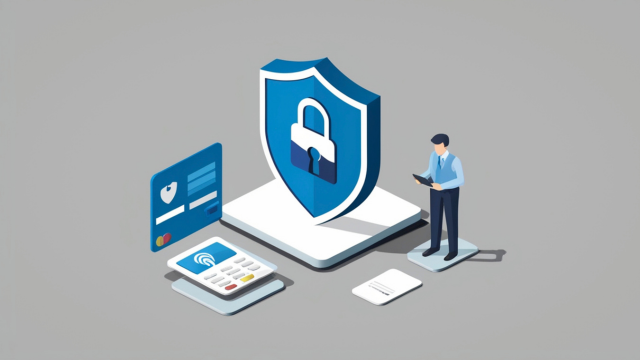

Business information now lives across laptops, phones, cloud storage, email accounts, payment systems and dozens of online applications. That makes everyday work easier, but it also creates more opportunities for information to be lost, stolen or accessed by the wrong person.
Understanding how to protect business data online therefore requires more than installing antivirus software. Effective data security combines secure accounts, well-managed devices, backups, access controls, employee awareness and a clear response plan for when something goes wrong.
The objective is not to eliminate every possible cyber risk. No organisation can guarantee that. It is to make common online threats substantially harder to exploit, limit the amount of information an attacker can reach and ensure the business can recover if an incident occurs.
For organisations handling customer or employee information, good security also supports privacy protection and wider data security-protection responsibilities.
What Is Business Data Security and Why Is It Important?
Business data security is the combination of technical and organisational measures used to protect information from unauthorised access, alteration, disclosure, destruction or loss.
The information requiring protection may include:
- customer records;
- employee information;
- financial documents;
- passwords and account credentials;
- contracts;
- intellectual property;
- emails;
- supplier information;
- sales records;
- operational databases.
Security is usually considered around three basic objectives.
Confidentiality means information should be accessible only to authorised people.
Integrity means information should remain accurate and should not be altered improperly.
Availability means the business should be able to access information and systems when they are needed.
A company that concentrates entirely on preventing theft but has no usable backups, for example, may protect confidentiality while leaving itself vulnerable to losing access to essential information.
Strong cybersecurity addresses all three areas.
Why Businesses Need to Protect Data Online
Businesses increasingly rely on digital services for fundamental operations.
An organisation may use cloud accounting for invoices, email for customer communication, cloud storage for contracts, a CRM for sales and online banking for payments. Losing access to only one important account can disrupt a significant part of the business.
A breach can also expose information belonging to customers, employees or suppliers.
That can create financial losses, contractual problems, service disruption and regulatory consequences. The reputational impact can continue even after systems have technically been restored.
Small businesses should not assume that cyber criminals are interested only in large corporations. Automated attacks can scan large numbers of accounts, devices and websites without the attacker needing to know much about the individual business beforehand.
Security therefore needs to be proportionate to the information and systems the organisation depends on.
A small consultancy does not necessarily need the security architecture of a bank. It does, however, need to protect important accounts, maintain reliable backups, update devices and control who can access sensitive data security.
Common Online Security Threats Businesses Face
Cyber attacks take many forms, but several threats repeatedly affect businesses.
Phishing and social engineering
Phishing attempts try to persuade employees to reveal credentials, open malicious files, visit fake websites or transfer money.
The message may imitate a supplier, bank, colleague or senior manager.
More sophisticated attacks can incorporate information collected from company websites, LinkedIn profiles or previous data security breaches to make the approach more convincing.
Stolen credentials
Weak, reused or exposed passwords can allow attackers into business systems.
Once an email account is compromised, an attacker may find sensitive information, impersonate employees or use password-reset emails to reach other services.
Malware and ransomware
Malware can steal information, monitor activity or interfere with devices.
Ransomware can encrypt or otherwise make systems and files inaccessible. Some attackers also steal data security before disruption occurs and threaten to publish it.
Unpatched software
Security weaknesses are regularly discovered in operating systems, applications, website components and network equipment.
If organisations delay updates, attackers may exploit known vulnerabilities.
Lost or stolen devices
A laptop or phone can contain locally stored information as well as active sessions giving access to cloud services.
A physical loss can therefore become a data security-security incident.
Insider and accidental threats
Not every breach is caused by an external attacker.
An employee can accidentally email information to the wrong person, share a cloud folder too widely or delete important files. Someone with legitimate access can also deliberately misuse information.
This is why data security needs procedures and access controls as well as anti-malware technology.
How to Protect Business Data Online
The best way to approach how to protect business data online is to build several layers of defence.
Start by identifying the information and systems the company could not operate without.
Then ask four questions:
- Who can access them?
- How are those accounts and devices protected?
- What happens if the information is lost or compromised?
- How quickly could the business recover?
A practical baseline should include secure authentication, software updates, endpoint protection, restricted access, reliable backups and employee training.
Businesses should also maintain an inventory of important systems. Security becomes difficult when nobody knows which cloud services are being used or who owns the administrator account.
The UK’s Cyber Essentials scheme offers another useful baseline. Its five technical controls cover firewalls, secure configuration, security update management, user access control and malware protection.
These controls do not prevent every attack, but they address several common routes criminals use to compromise organisations.
How to Create Strong Password and Authentication Policies
A password policy should make secure behaviour easier rather than forcing employees to invent increasingly complicated passwords they cannot remember.
Each important business account should have a unique credential.
Employees should not reuse their work email password for accounting software, social media and personal services. If one provider is compromised, reused credentials can allow an attacker to access several accounts.
Password managers can help by generating and storing strong unique passwords.
For organisations, a business password manager can also provide centralised administration, controlled sharing and a more structured way to remove access when somebody leaves.
Shared passwords sent through email, chat messages or spreadsheets are difficult to control.
Where a service supports passkeys, they are increasingly worth considering. The NCSC’s current guidance recommends passkeys over passwords where available because correctly implemented passkeys provide strong resistance to phishing.
Authentication policy should also address account recovery. There is little benefit in protecting the normal login route while allowing accounts to be recovered through an insecure email address or outdated employee phone number.
How to Use Multi-Factor Authentication for Business Security
Multi-factor authentication, often called MFA or two-step verification, requires an additional proof of identity beyond a password.
For example, signing in might require both a password and confirmation through an authenticator application.
This makes a stolen password substantially less useful on its own.
Prioritise MFA for high-value accounts such as:
- business email;
- cloud storage;
- accounting and banking systems;
- administrator accounts;
- HR and payroll platforms;
- social media accounts;
- website administration.
Not every form of MFA provides identical protection. Modern phishing-resistant authentication methods, including appropriately implemented FIDO2 credentials and passkeys, can provide stronger protection than traditional codes that users can potentially be tricked into entering on fraudulent websites.
Where passkeys are unavailable, however, MFA remains an important security layer.
Also protect administrator accounts particularly carefully. An administrator can often change other users’ permissions, access large amounts of information and disable security controls.
How to Secure Business Devices and Networks

Every laptop, desktop, phone and tablet that can access business information should be treated as part of the security environment.
Devices should use a secure screen lock and install supported operating-system and application updates promptly.
Remove software that is no longer required. Applications that are abandoned or no longer supported can become unnecessary security liabilities.
Device encryption provides another important layer. If an encrypted laptop is stolen while properly locked, accessing the data security stored on it becomes substantially more difficult.
Businesses should also consider centrally managing company devices where their size and risk justify it.
Mobile-device or endpoint-management platforms can enforce security settings, control work applications and, in suitable configurations, remove business information from lost or compromised devices.
Network equipment matters too.
Change default administrator passwords on routers and other equipment. Install firmware updates and restrict administration interfaces appropriately.
Avoid assuming that being inside the office network automatically makes an activity safe.
How to Protect Business Data in the Cloud
Cloud platforms can provide strong security, but moving information into the cloud does not transfer every security responsibility to the provider.
The business still controls important matters such as user accounts, permissions and which information employees upload.
Choose reputable providers and examine their security features.
Enable MFA or stronger authentication. Give each person an individual account rather than sharing one generic login.
Separate ordinary user accounts from administrator privileges wherever practical.
Review file-sharing permissions regularly.
Cloud folders can accidentally remain accessible to former employees, contractors or anyone with an old sharing link.
The principle of least privilege is useful here: employees should have the access needed for their role, but not unnecessary access to every system and file.
Encryption should also form part of the risk assessment for sensitive information. UK data-protection guidance treats encryption as an important technical measure that may be appropriate depending on the risks involved, but encryption is not a substitute for access control, staff training or secure configuration.
Finally, understand the provider’s recovery options.
Cloud storage and backup are not automatically the same thing.
How to Back Up Business Data Securely
Backups protect against more than hacking.
They can help recover from accidental deletion, failed hardware, lost devices and ransomware.
Identify the information the business genuinely needs to continue operating. This could include customer databases, financial records, website files, documents, contacts and operational systems.
Then determine how much data security the business could afford to lose.
If losing a week’s transactions would be unacceptable, a weekly backup is clearly insufficient.
Critical information may need daily or more frequent protection, while less frequently changing information may justify a different schedule.
Maintain a backup that is sufficiently independent from the primary environment. The NCSC specifically advises organisations not to rely solely on cloud-service version histories or deleted-file recovery as the only backup of critical information.
Protect backup accounts with strong authentication and restrict access.
Most importantly, test recovery.
A backup that has never been restored may provide false confidence. The organisation needs to know that files can actually be recovered and that relevant employees understand the process.
How to Protect Business Data From Phishing Attacks
Technical filters help, but phishing also targets human judgement.
Employees should know that phishing is not limited to badly written emails claiming to come from a foreign bank.
A modern attack might imitate a genuine Microsoft login page, use a supplier’s real invoice format or arrive from a legitimate account that has itself been compromised.
Encourage employees to verify unusual requests through another trusted channel.
If a message apparently from the managing director suddenly requests a confidential file or urgent bank transfer, calling them through a known number may be quicker than trying to judge the email purely by appearance.
Employees should be cautious about unexpected links and attachments, unexpected MFA prompts and requests to bypass normal procedures.
Businesses should also make reporting easy.
Someone who clicks a suspicious link should feel able to report it immediately. Punishing every honest mistake can encourage employees to hide incidents until the damage becomes worse.
Email filtering, domain protection and modern authentication can reduce exposure further.
How to Train Employees on Data Security
Security training works best when connected with situations employees actually encounter.
A one-hour annual presentation followed by no reinforcement is unlikely to be sufficient.
Training should explain common threats, but it should also tell employees exactly what to do.
Staff should know:
- how to report suspicious messages;
- how to handle confidential information;
- where business files should be stored;
- whether personal devices are permitted;
- how to share documents safely;
- how to report a lost device;
- what to do after clicking a suspicious link;
- who to contact during a suspected incident.
Different roles may require different training.
Someone handling payroll faces different risks from a designer who has no access to financial records.
New employees should receive security guidance during onboarding, while departing employees should have access removed promptly.
Leadership behaviour matters too. A policy requiring employees to follow secure payment procedures will fail if senior managers regularly demand that staff bypass those procedures for urgent requests.
How to Control Access to Business Data
Access should be based on business need rather than convenience.
An employee in marketing probably does not need access to the complete payroll database. A temporary contractor may need access to one project folder but not every customer record.
Role-based permissions can help businesses structure access around responsibilities.
Administrator privileges should be particularly restricted.
Employees should normally use ordinary accounts for ordinary work rather than operating permanently with powerful administrative rights.
Review permissions when someone:
- joins the organisation;
- changes role;
- moves department;
- begins or ends a project;
- leaves the business.
Offboarding deserves special attention.
Former employees should not retain working email accounts, cloud sessions, VPN access or shared credentials.
Central identity management and business password-management systems can make this considerably easier than maintaining access manually across dozens of unrelated applications.
Best Business Data Security Tools and Software
No single security application protects an entire organisation. Businesses normally need several complementary controls.
| Security need | Example tools | Main purpose |
| Identity and endpoint security | Microsoft 365 Business Premium | Identity, device, email and endpoint controls |
| Password management | 1Password Business, Bitwarden Business | Secure credential storage and sharing |
| Network and web controls | Cloudflare Zero Trust | Access and DNS/web security controls |
| Backup | Reputable managed or cloud backup service | Independent recovery copies |
| Endpoint protection | Microsoft Defender for Business and comparable products | Malware and endpoint threat protection |
Microsoft 365 Business Premium
For organisations already using Microsoft 365, Business Premium combines several useful security capabilities.
Its current package includes Microsoft Defender for Business for endpoint security, Defender for Office 365 Plan 1 for email and file protection, Microsoft Intune Plan 1 for device management, Entra ID P1 for identity and access controls, and Purview information-protection capabilities.
It is particularly relevant where a business wants device, identity and Microsoft productivity controls managed within one ecosystem.
1Password Business and Bitwarden Business
A business password manager can replace informal practices such as storing shared passwords in spreadsheets or sending them through messages.
1Password Business currently supports organisational credential management and integrations with identity providers, including SSO options.
Bitwarden’s business products currently provide centralised credential ownership, secure sharing, event logging and directory/provisioning features, with additional enterprise controls at higher tiers.
The appropriate choice depends on administration, deployment, integrations and organisational requirements rather than which application is most popular.
Cloudflare Zero Trust
Cloudflare provides network and web-access controls that can help organisations restrict unwanted or risky traffic.
Its current Zero Trust tools allow organisations to create DNS and other security policies, including controls designed to block known or suspicious destinations.
This type of product becomes more relevant where employees work across several networks and locations rather than exclusively behind a traditional office firewall.
Tools should support a security strategy, not replace one.
Businesses without internal technical expertise may benefit from professional assistance when configuring advanced security products. Incorrectly configured security software can create its own gaps.
How to Create a Business Data Security Policy
A policy should translate security expectations into practical rules.
Begin by identifying which systems, devices and information the policy covers.
Then define responsibilities.
Who manages user accounts? Who approves access to sensitive files? Who checks backups? Who leads the response to an incident?
Useful sections can cover:
- passwords, passkeys and MFA;
- device security;
- software updates;
- cloud storage;
- access permissions;
- remote working;
- personal devices;
- backups;
- phishing reporting;
- acceptable software;
- data sharing;
- incident reporting;
- employee onboarding and offboarding.
Keep the policy usable.
A technically impressive 80-page document that nobody reads provides less value than clear rules employees understand and follow.
Review it periodically and after significant changes to systems, working practices or risks.
A policy should also connect with wider privacy, retention and incident-response procedures rather than existing independently.
How to Respond to a Data Breach
Preparation before an incident can substantially improve the response.
When a suspected breach occurs, first establish what is happening and contain it without unnecessarily destroying evidence.
That might involve disabling a compromised account, isolating a device, revoking sessions or changing affected credentials.
Then determine what information and systems may have been affected.
Record decisions, actions and relevant times.
Where personal information is involved, assess the risk to the individuals concerned. Under current UK rules, where a personal data security breach is likely to result in a risk to people’s rights and freedoms, it generally needs to be reported to the ICO without undue delay and, where feasible, within 72 hours of awareness. Where the risk is high, affected individuals may also need to be informed without undue delay.
Not every cyber incident is a reportable personal data security breach, and not every personal data breach originates from hacking.
After containment, restore services from trusted systems or backups and investigate what happened.
Finally, learn from the incident.
If one stolen password allowed access to several services, improve authentication. If excessive permissions expanded the breach, redesign access controls. If employees did not know whom to contact, update the incident plan.
Benefits and Challenges of Business Data Protection
Stronger security can reduce the likelihood and impact of common attacks.
It can also improve operational resilience. Reliable backups, documented access and well-managed devices help with ordinary failures as well as deliberate attacks.
Good security can support customer and supplier confidence, particularly where the business handles sensitive information.
There are challenges.
Security tools cost money. Stronger controls can sometimes add friction to everyday work. Small businesses may lack specialist employees, while larger organisations can struggle to maintain consistent controls across thousands of users and applications.
The answer is not to abandon security because perfect protection is impossible.
Controls should be proportionate to risk.
A small business can achieve meaningful improvement through a relatively modest baseline: protect important accounts, use strong authentication, update devices, restrict access, train staff and maintain reliable backups.
Common Business Data Security Mistakes to Avoid
One common mistake is treating cybersecurity as solely the IT department’s responsibility.
Managers decide which information is collected, which suppliers are used and who receives access. Employees handle data security every day. Security therefore requires organisational responsibility.
Another mistake is buying software without configuring it properly.
A security feature does nothing if it remains disabled.
Businesses should also avoid:
- reusing passwords across important accounts;
- leaving MFA disabled;
- maintaining shared administrator accounts;
- postponing security updates indefinitely;
- allowing former employees to retain access;
- storing the only backup alongside the original data;
- collecting information that the business does not need;
- giving every employee access to every file;
- using unsupported software;
- relying solely on staff to identify phishing manually.
Do not forget recovery.
Preventing attacks receives substantial attention, but a business also needs to know how it will continue operating if prevention fails.
Future Trends in Business Data Security and AI
Artificial intelligence is changing both attacks and defences.
Attackers can use generative AI to create more convincing phishing messages, accelerate research and automate parts of cyber operations. The NCSC assesses that AI will continue to make elements of cyber intrusion more effective and efficient, increasing the frequency and intensity of cyber threats.
Defenders are using AI as well.
Security platforms can analyse unusual behaviour, prioritise alerts and identify patterns across large volumes of activity. This may help smaller security teams investigate incidents more efficiently.
However, AI does not remove the need for human oversight.
Automated tools can make incorrect assumptions and produce false positives. Businesses also need to consider what confidential information employees enter into public or third-party AI systems.
Authentication is another major area of change.
Passkeys and other phishing-resistant technologies are moving businesses away from depending entirely on passwords. The NCSC’s 2026 shift towards recommending passkeys where supported reflects that wider development.
Zero-trust approaches are also becoming more practical. Instead of assuming that somebody should be trusted simply because they are connected to an office network, access decisions can consider identity, device condition and the resource being requested.
Finally, privacy protection and security are increasingly connected. As businesses collect more information and use more AI services, limiting unnecessary data security can itself reduce risk. Information that the company never needed to collect cannot later be exposed in a breach.
Key Takeaways
Learning how to protect business data online begins with understanding what information and systems the organisation depends on.
Secure critical accounts with passkeys where appropriate or strong unique passwords and MFA. Keep devices and software updated, encrypt sensitive information where appropriate and limit access according to genuine business need.
Maintain backups that can survive problems affecting the primary system, and test whether those backups can actually be restored.
Employees should understand phishing and know how to report suspicious activity quickly. Security training should therefore be practical and continuous rather than a once-a-year formality.
Businesses also need an incident plan. Knowing who will contain an attack, assess a breach, communicate with relevant parties and restore essential services can substantially reduce confusion when something goes wrong.
Effective data security is ultimately a combination of technology, people and processes.
FAQ
How can I protect my business data online?
Start with the accounts and information that are most important to the business.
Use strong authentication, keep devices updated, control access, maintain reliable backups and train employees to recognise suspicious activity.
Businesses handling personal information should also ensure their security measures support their legal data security-protection responsibilities.
The most effective approach to how to protect business data online uses several layers rather than relying on one security product.
What are the biggest online security threats to businesses?
Common online threats include phishing, stolen login credentials, ransomware, malware, unpatched vulnerabilities and compromised cloud accounts.
Businesses also face accidental data security loss and misuse by people who legitimately have access.
The relative risk depends on the organisation’s systems, information and operating model.
How can small businesses improve data security?
Small businesses can make substantial improvements by concentrating on a few high-value controls.
Protect email and other important accounts, enable MFA or passkeys, install updates promptly, maintain backups and remove unnecessary access.
The NCSC’s small-organisation guidance and Cyber Essentials controls provide useful UK starting points for businesses that do not have a large internal security team.
Why is multi-factor authentication important?
MFA means that stealing a password alone may not be enough to access an account.
It is especially important for email, cloud storage, financial systems and administrator accounts.
Where supported, phishing-resistant authentication such as appropriately implemented passkeys can provide stronger protection against credential phishing. Where it is not available, traditional MFA remains an important security measure.
How can I protect business data in the cloud?
Choose a reputable provider, protect accounts with strong authentication and assign individual user accounts rather than sharing credentials.
Apply least-privilege permissions and review external file-sharing links regularly.
Understand which security responsibilities remain with your organisation, and maintain independent backups of critical information rather than assuming cloud storage automatically provides complete backup protection.
How often should business data be backed up?
There is no single frequency suitable for every organisation.
The schedule should reflect how much information the business can afford to lose. Critical data security that changes throughout the day may need much more frequent protection than relatively static files.
Regular daily or weekly backups may suit some systems, but the important questions are whether the frequency matches the risk and whether restoration has been tested.
How can employees help protect business data?
Employees can use approved systems, protect credentials, report suspicious messages and follow appropriate procedures when sharing information.
They should also report mistakes quickly.
A strong security culture encourages early reporting rather than making employees afraid to admit that they clicked the wrong link or sent information to an incorrect recipient.
Employee behaviour is an important part of cybersecurity, but responsibility must also be supported by appropriate systems and management.
What should a business do after a data breach?
Contain the incident, protect affected systems and establish what information may have been compromised.
Document what happened and assess the consequences.
If personal information is involved, determine whether the breach meets the legal threshold for reporting to the ICO and whether affected people must be informed. Where ICO notification is required, the data security current rule generally requires notification without undue delay and, where feasible, within 72 hours of awareness.
The business should then restore operations safely, investigate the cause and strengthen controls to reduce the chance of recurrence.
Conclusion
Understanding how to protect business data online does not require believing that every company can become impossible to hack.
The goal is to make common attacks difficult, restrict the damage an attacker or mistake can cause and ensure important information can be recovered.
Strong data security starts with authentication, secure devices, software updates, access control and dependable backups. Employee training reduces exposure to phishing and other online threats, while a tested incident plan helps the organisation respond quickly when preventive controls fail.
For businesses handling personal information, privacy protection should be considered alongside cybersecurity rather than as a separate exercise. Collecting only necessary information, restricting access and using appropriate security measures can protect both the organisation and the people whose information it holds.
Training Arena offers online learning across technology, business and other subjects, including a Fundamentals of Cyber Security course. Structured learning can help develop knowledge of cyber-security concepts, but a completion certificate alone does not establish professional security competence. Protecting real business systems requires appropriate technical controls, organisational processes and, where the risks justify it, specialist professional support.